

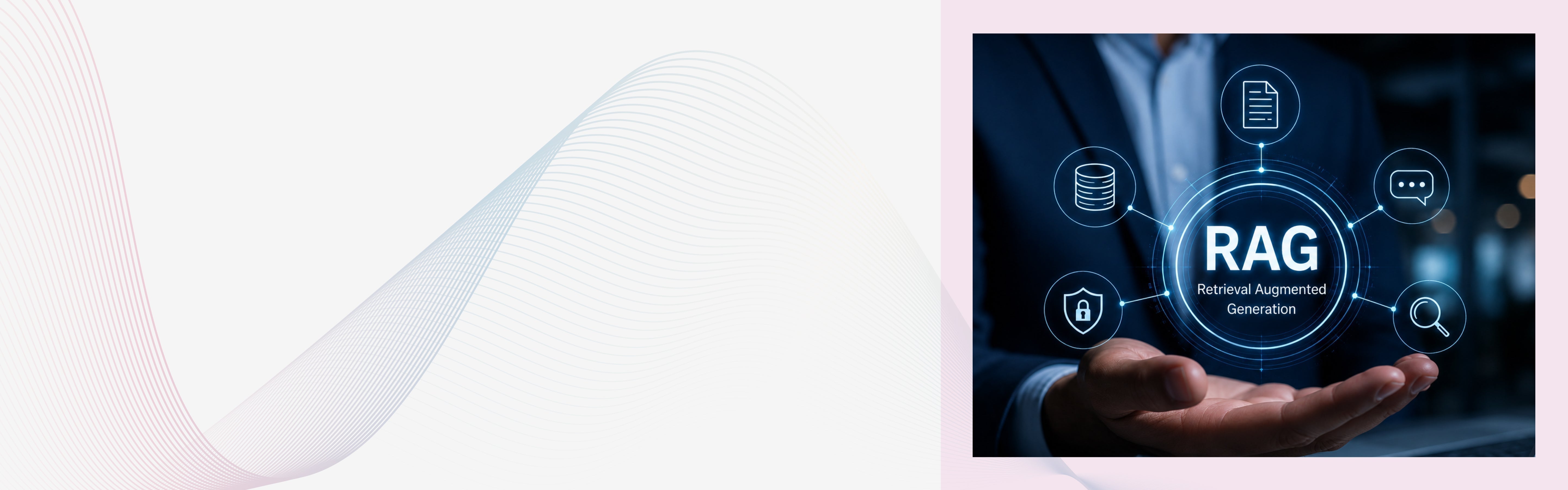
In 2026, most enterprise AI failures are not model failures. They are use case failures. Enterprises are choosing RAG for 30 to 60 percent of their AI use cases. That means nearly half of all use cases should be handled by something else, whether that is fine-tuning, prompt engineering, or traditional automation. Knowing the difference saves budget, time, and credibility.
Enterprise RAG works best when your team needs AI answers grounded in proprietary content, with citations, access controls, and reliable updates. You will see strong results in use cases like internal knowledge assistants, support copilots, compliance search, and document-heavy workflows where accuracy matters more than creative generation.
RAG is built for situations where being wrong has real consequences and where you need to show your work. This blog explains where RAG delivers the clearest benefits today. It provides detailed insights to make solid architectural choices instead of just sparking discussion about buying solutions.
A Quick Overview of Retrieval Augmented Generation (RAG)
Retrieval Augmented Generation uses AI to merge old-school search systems with modern generative large language models, or LLMs. It doesn’t just stick to what the LLM learned during training. RAG retrieves useful documents from external sources such as company knowledge bases, vector databases, or rulebooks. It then adds this extra info to the LLM's input to make the output more accurate and context-aware.
The architecture consists of two core components:
- Retriever: Searches document databases or vector stores for relevant information using semantic search, keyword matching, or hybrid approaches
- Generator: An LLM that uses retrieved context to produce accurate, source-grounded responses
This approach delivers accurate, contextual, and explainable AI outputs while significantly reducing hallucinations, which is a critical requirement for enterprise deployment.
Why RAG Is Critical for Enterprise AI in 2026?
Traditional LLMs face three fundamental limitations that RAG solves:
| Limitation | How RAG Solves It |
|---|---|
| Cannot access real-time or proprietary data | Uses dynamic retrieval for instant knowledge updates, techment |
| Tends to hallucinate facts in niche domains | Reduces hallucinations through factual grounding techment |
| Expensive to retrain when data changes | No retraining needed; just update documents techment |
RAG aligns perfectly with 2026 enterprise priorities: accuracy, explainability, compliance, and cost efficiency. Hybrid RAG, which mixes vector search and keyword matching, is now the production standard. It delivers better results than using just vector-based methods.
The Top Enterprise RAG Use Cases in 2026
1. Enterprise Knowledge Search and Internal Q&A
This is the most common and often the most impactful starting point for any enterprise. Think about how much time your team spends hunting for information. A policy document buried in SharePoint. A product spec from two years ago. A compliance guideline that was updated three months ago. Employees waste hours every week not doing their actual job, but searching for the information they need to do it.
Enterprise search is the largest RAG application segment in 2025. RAG transforms internal search from keyword matching to semantic understanding. Employees ask questions and receive synthesized, cited answers from across the entire organizational knowledge base.
Instead of getting ten blue links, an employee types a question in plain English and gets a direct answer with a citation to the source document. That is a real-world improvement that shows up in productivity numbers fast.
Best for: Companies with large internal document libraries, wikis, SharePoint repositories, or legacy knowledge bases.
2. Customer Support and Service Automation
Customer support is one of the clearest ROI opportunities for RAG in any enterprise. Support agents spend a huge portion of their time looking up answers in product manuals, previous tickets, and policy documents. A RAG-powered support copilot retrieves the right information instantly, letting agents focus on the actual conversation instead of digging through documentation.
DoorDash developed an in-house RAG system that combines a retrieval component, an LLM guardrail, and an LLM judge. When a support request comes in, the system first condenses the conversation to understand the core issue, then searches the knowledge base for relevant articles and past resolved cases. The retrieved information is fed into an LLM, which crafts a contextually appropriate response.
For customer-facing chatbots, RAG means the AI can answer questions about your specific products, policies, and processes, not just generic topics it learned from internet data.
Best for: E-commerce, SaaS, telecom, retail, and any business handling a high volume of repetitive customer queries.
3. Legal and Compliance Document Analysis
Legal teams deal with enormous volumes of text, and the cost of getting it wrong is high. RAG is built for this kind of high-stakes, document-heavy work. RAG can be applied powerfully in legal scenarios, such as mergers and acquisitions, where complex legal documents provide context for queries. This can help legal professionals rapidly navigate complex regulatory issues.
With RAG, a lawyer or compliance officer can ask a natural language question like "What does our master services agreement say about data breach notification?" and get an answer that cites the exact clause and version of the document. That replaces hours of manual review. RAG-enabled AI agents pull real-time data from regulatory databases, internal policies, and market feeds to answer complex compliance questions with full source citation. Financial services is the largest RAG market segment by end user in 2025.
For regulated industries, the citation feature is not just a nice-to-have. It is essential for audit trails and regulatory accountability.
Best for: Legal departments, compliance teams, financial institutions, healthcare organizations, and government agencies.
4. Healthcare: Clinical Decision Support and Research
Healthcare is one of the fastest-growing areas for RAG adoption, and for good reason. The stakes for accuracy are about as high as they get. Clinical decision support and medical research synthesis, grounded in peer-reviewed literature and institutional protocols, reduce AI-generated medical misinformation. Healthcare is projected to see the highest CAGR in RAG adoption through 2030.
A RAG system in a hospital environment can pull relevant clinical guidelines, drug interaction data, or prior patient history context to support a clinician in making a treatment decision. It does not replace the clinician. It makes sure the clinician is working with the right information.
For pharmaceutical companies and research organizations, RAG helps researchers quickly synthesize findings from thousands of published papers, without reading all of them manually.
Best for: Hospitals, health systems, pharmaceutical companies, clinical research organizations, and digital health platforms.
Important note: In healthcare, human review remains non-negotiable. RAG supports decision-making. It does not replace clinical judgment.
5. Financial Services: Risk, Compliance, and Investment Research
Finance was the first major industry to move RAG from pilot to production, and it is not hard to see why. The volume of regulatory documents, market data, and internal policies that financial professionals must navigate is enormous.
Investment teams use RAG to pull earnings transcripts, SEC filings, and analyst reports to answer specific questions about a company or market condition in seconds rather than hours. Compliance teams use it to check whether a proposed action aligns with current regulatory requirements.
In enterprise production systems, Hybrid RAG consistently outperforms vector-only approaches because it captures both semantic meaning and exact terminology, a critical distinction in legal, financial, and regulatory domains.
Best for: Banks, asset managers, insurance companies, fintech platforms, and regulatory compliance teams.
6. HR and Employee Onboarding
HR is a use case that often gets overlooked, but it consistently delivers measurable value with relatively low implementation risk. HR and policy assistants answer employees' questions from current policy PDFs and SharePoint pages, covering areas like travel, benefits, and risk policy with citations and effective dates. This reduces help-desk load and speeds onboarding.
A new employee has dozens of questions in their first week. Instead of emailing HR for every question or digging through a confusing intranet, they can ask a RAG-powered assistant and get an accurate answer with a reference to the official policy. This is also useful for existing employees whenever policies change. Instead of re-reading an entire handbook, they can ask a targeted question and get an up-to-date answer immediately.
Best for: Any organization with a complex or frequently updated employee policy handbook, especially those with distributed or global teams.
7. IT Help Desk and Incident Resolution
IT teams deal with repetitive questions and recurring incidents. RAG can dramatically cut the time it takes to resolve them. IT help and knowledge search work across tickets, runbooks, and incident post-mortems. Legal and finance copilots quote clauses, reference controls, and point to the exact paragraph. When an engineer faces a production incident at 2 AM, they can query a RAG system to pull relevant runbooks, prior incident reports, and troubleshooting guides, without wading through outdated documentation or waiting for a more senior colleague to respond.
For service desk teams, a RAG-powered copilot reduces the time agents spend looking up answers and helps less experienced staff resolve tickets that previously required escalation.
Best for: IT operations teams, DevOps organizations, managed service providers, and large enterprises with complex internal infrastructure.
8. Sales Enablement and Product Knowledge
Sales teams need quick, accurate answers about products, pricing, and competitive positioning. Giving them a RAG-powered assistant means they spend less time hunting through documentation and more time selling.
A sales representative about to join a call can quickly ask what differentiates your product from a specific competitor or what the current pricing is for a specific product tier. The answer comes back in seconds, pulled from the latest internal materials, not from an AI making something up. RAG helps by turning scattered knowledge into something you can actually use. Employees can ask questions in plain language and get answers based on internal documentation, pulled and summarized in real time.
Best for: B2B sales organizations, enterprise software companies, and businesses with frequently updated product catalogs.
RAG Architectures for Enterprise Use Cases in 2026
| Architecture | Best For | Production Readiness |
|---|---|---|
| Hybrid RAG | Enterprise search, regulatory reporting | Very High |
| Naive RAG | FAQs, HR policy bots | High |
| Graph RAG | Legal research, M&A due diligence | Medium |
| Adaptive RAG | Cost-sensitive AI | High |
| Agentic RAG | Multi-step investigations | Emerging |
| Self-RAG | Medical AI, legal research | Emerging |
Hybrid RAG is the production baseline for most enterprises in 2026, balancing accuracy, cost, and governance.
When RAG Is Not the Right Choice
This is just as important as knowing where RAG works well. Skip RAG as a first move if your source content is messy, your permissions model is unclear, or you have no specific workflow to improve.
Here are specific situations where RAG adds more complexity than value.
Skip RAG when:
- You need creative output, not factual retrieval (marketing copy, story generation, brainstorming).
- Your data is clean, static, and small enough to include in a fine-tuned model.
- The question can be answered from one document type reliably with a simpler search tool.
- You have no clearly defined workflow to improve, just a vague idea that "AI could help".
- Your documents are in terrible shape, full of duplicates, outdated files, and inconsistent formatting.
Not every RAG problem needs agents. Save yourself the complexity when single-source answers suffice. If queries can be answered from one document type, traditional RAG works fine.
How to Choose Your First RAG Use Case?
Most enterprises get better results when they start narrow and prove value quickly, rather than trying to solve every knowledge problem at once.
Here is a simple approach that works.
Step 1: List your top knowledge pain points. Ask team leaders where their people spend the most time searching for information. The answers will surface your best candidates.
Step 2: Run each through the fit test. Use the five questions from the beginning of this article. Cut any that do not score well.
Step 3: Score remaining candidates. Use the scoring table above. Pick the top one or two.
Step 4: Check your data readiness. A high-scoring use case with poor-quality underlying documents is still a bad starting point. Read our next article on Preparing Your Enterprise Data for RAG Implementation before you build anything.
Step 5: Define your success metric before you start. Is it resolution time? Employee satisfaction? Query deflection rate? Having a clear metric from day one makes it much easier to prove value and get budget for the next use case.
What Comes Next?
Once you have identified your best use cases, the next challenge is preparing your data for RAG. Even the best retrieval architecture delivers poor results if the underlying documents are disorganized, duplicated, or outdated.
Success comes from choosing the right architecture. Most companies use a hybrid RAG as their standard for production. Along with that, a team of skilled engineers is crucial for building and maintaining the system.
Ready to build your enterprise RAG solution? At Lucent Innovation, we help you design, implement, and scale retrieval-augmented generation systems tailored to your business needs. Hire AI Engineers with us to accelerate your RAG deployment and start seeing results within weeks.


