

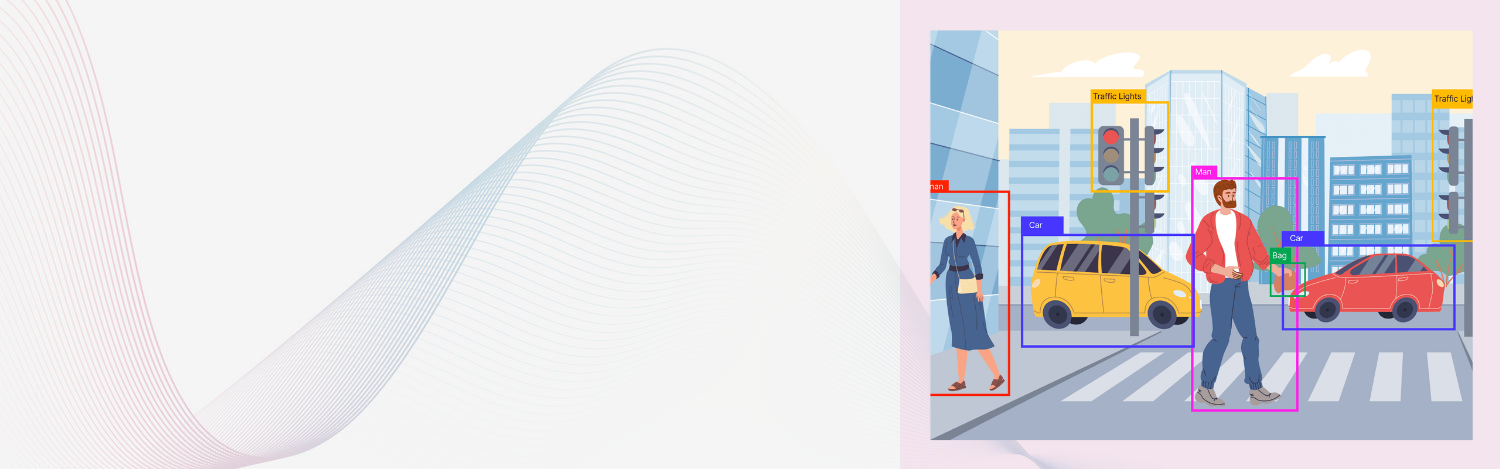
Curious how your webcam can identify people, pets, or even products in real time?Let’s dive into the world of object detection using the latest YOLOv8 model—fast, accurate, and beginner-friendly.
What You'll Learn
- How object detection works with bounding boxes
- Understanding confidence scores
- Real-time detection with your webcam
- Tools: Ultralytics YOLOv8, OpenCV
What Is Object Detection?
At its core, object detection does two things:
- Finds objects in images or video (like a cat, bottle, or person).
- Draws bounding boxes around them with a confidence score.
YOLO (You Only Look Once) models are popular because they’re super fast and efficient, even on a webcam.
Why YOLOv8?
- Trained on large datasets (like COCO)
- Real-time inference (can process 30+ FPS on decent hardware)
- Easy Python SDK via Ultralytics
- Supports custom training for your own use case
Tools You'll Use
- Ultralytics YOLOv8 – the latest version of the YOLO family
- OpenCV – to capture and display webcam feed
- Python – the glue that makes it all work
Installation
pip install ultralytics opencv-python
Sample Code – Detect Objects from Webcam
from ultralytics import YOLO import cv2
# Load YOLOv8 pretrained model model = YOLO("yolov8n.pt") # 'n' stands for nano (lightweight version)
# Start video capture cap = cv2.VideoCapture(0) # 0 is usually the default webcam
while True: ret, frame = cap.read() if not ret: break
# Run YOLO detection results = model(frame)[0]
# Draw boxes for box in results.boxes: x1, y1, x2, y2 = map(int, box.xyxy[0]) confidence = box.conf[0] classid = int(box.cls[0]) label = model.names[classid] _ # Draw rectangle and label cv2.rectangle(frame, (x1, y1), (x2, y2), (0, 255, 0), 2) cv2.putText(frame, f"{label} {confidence:.2f}", (x1, y1 - 10), cv2.FONTHERSHEYSIMPLEX, 0.6, (255, 0, 0), 2)_
cv2.imshow("YOLOv8 Detection", frame)
if cv2.waitKey(1) & 0xFF == ord("q"): break
cap.release() cv2.destroyAllWindows()
Use Cases
- Detect people for surveillance or attendance
- Spot pets in home automation systems
- Recognize products in retail or inventory management
- Use for smart doorbells or robot vision
Bonus Tip: Customize It
Train YOLOv8 on your own dataset to detect brand logos, machines, or rare animals.Ultralytics provides simple commands to train custom models too!
Final Thoughts
Whether you're building a smart camera, a retail scanner, or just learning for fun—YOLOv8 is a solid way to get started with object detection.
Want to take it further? Add voice alerts, count objects, or track movement in real-time.


