

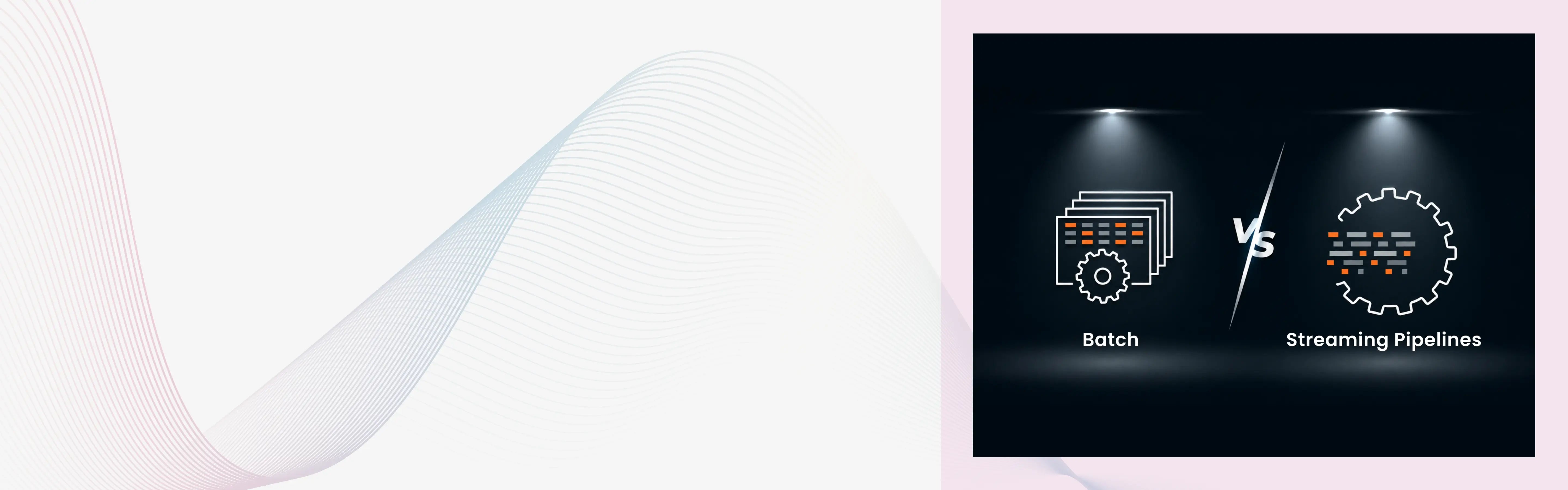
Every data pipeline makes one foundational choice before a single line of code is written.
Does it process data in scheduled chunks, or does it process data as events arrive?
That is the batch versus streaming decision. It looks simple on paper. In practice, it shapes everything: the tools you use, the infrastructure you maintain, the guarantees you can make about data freshness, and the cost you pay every month to keep it running.
Getting it wrong is expensive. As freeCodeCamp's April 2026 guide to batch vs streaming pipelines puts it directly: teams that build streaming pipelines when batch would have sufficed end up maintaining complex infrastructure for a problem that did not require it. Teams that build batch pipelines when their use case demands real-time processing discover the gap at the worst possible moment.
This article is part of the Modern Data Engineering: The Complete Guide series. If you are new to pipelines in general, How Modern Data Pipelines Actually Work covers the four core stages every pipeline goes through before the batch or streaming pattern is applied.

What Is Batch Processing and How Does It Work?
Batch processing collects data over a window of time and then processes it all at once when a scheduled trigger fires.
Think of it like doing laundry. You do not wash one shirt the moment it gets dirty. You wait until you have a full load, then run the machine. The shirts pile up throughout the week. On Sunday, the washing happens.
Data batch pipelines work the same way. Source data accumulates throughout the day in a staging area. At a scheduled time, typically overnight or hourly, a job picks up everything that accumulated, runs the transformations, and loads the output into the destination.
The batch job has a clear start and a clear end. When it finishes, the destination has a snapshot of the data as of the run time. Between runs, the destination does not update.
What Batch Pipelines Are Good At
Batch is the right default for most analytics workloads. It handles complex transformations well because there is no time pressure per record. A batch job can join across tables with hundreds of millions of rows, compute expensive multi-level aggregations, and apply machine learning feature engineering without worrying about processing each event in milliseconds.
Batch pipelines are also easier to test, debug, and rerun. When a transformation produces wrong results, you fix the logic and reprocess the affected time window. The failure mode is a delayed job, not a production incident.
Where Batch Falls Short
Batch pipelines produce stale data. How stale depends on the schedule: nightly jobs produce data that is up to 24 hours old. Hourly jobs produce data up to 60 minutes old.
For use cases where decisions depend on what is happening right now, that staleness is a real problem. A fraud detection system that runs on a nightly batch schedule is not a fraud detection system. It is a fraud reporting system. The fraud already happened hours ago.
What Is Streaming Processing and How Does It Work?
Streaming processing treats data as a continuous flow of individual events. Each event is processed the moment it arrives, without waiting for other events to accumulate.
Think of it like a moving walkway at an airport. People step onto the walkway as they arrive. Each person moves forward immediately. Nobody waits for 500 people to gather before the walkway starts moving. The walkway runs continuously whether one person is on it or ten thousand.
A streaming pipeline works the same way. An event source, typically Apache Kafka, Amazon Kinesis, or Google Pub/Sub, delivers events in real time. The stream processing engine picks up each event, applies the transformation logic, and writes the result downstream within milliseconds to seconds. The pipeline runs 24 hours a day, seven days a week, regardless of whether event volume is high or low.
What Streaming Pipelines Are Good At
Streaming is the right choice when the output of the pipeline must trigger an action or update a system in real time.
Fraud detection. A payment authorization system needs to check whether a transaction looks fraudulent before approving it. That decision cannot wait 60 minutes for the next batch run.
Real-time personalization. An e-commerce recommendation engine that adapts to clicks, cart additions, and browsing behavior as they happen delivers a fundamentally different experience than one running on overnight batch data.
Operational monitoring. Infrastructure health dashboards that detect CPU spikes, error rate increases, or latency anomalies need second-level granularity, not hourly summaries.
Where Streaming Falls Short
Streaming infrastructure is significantly more complex to operate than batch.
As Striim's batch vs stream processing guide explains, stream processing introduces architectural complexity through distributed processing requirements, sophisticated state management, and fault tolerance mechanisms. The continuous processing model demands higher resource utilization with systems consuming compute resources at all times rather than only during defined intervals.
Landskill's February 2026 streaming vs batch architecture guide identifies two streaming-specific failure modes that batch engineers rarely face. The first is backpressure: incoming events exceed processing capacity, lag accumulates, and outputs lose operational value because they describe events from minutes ago rather than seconds ago.
The second is silent correctness drift: streaming systems often continue running even when data quality issues occur. Duplicate events, missing events, or schema changes can gradually corrupt outputs while dashboards still show active data.
Batch Processing vs Streaming Processing Comparison
| Dimension | Batch Processing | Streaming Processing |
|---|---|---|
| How data is processed | Collected over time, processed in one scheduled run | Each event processed immediately as it arrives |
| Latency | Minutes to hours depending on schedule | Milliseconds to seconds |
| Infrastructure | Compute spins up for the job, shuts down after | Always-on, continuously running |
| Cost | Lower baseline, pay only when jobs run | Higher baseline, persistent infrastructure |
| Complexity | Lower, simpler error handling and recovery | Higher, state management and fault tolerance required |
| Failure mode | Delayed job, rerun and recover | Production incident, requires live intervention |
| Best for | Historical analysis, reporting, ML training, complex joins | Fraud detection, personalization, monitoring, CDC |
| Debugging | Rerun the job on the failed time window | Replay events from the message queue checkpoint |
| Schema change handling | Pipeline breaks loudly on next scheduled run | Can cause silent correctness issues if not monitored |
How to Choose Between Batch and Streaming
One question answers the batch vs streaming decision for most teams: what happens if the data is one hour old?
If the answer is nothing meaningful, batch is the right choice. If the answer is a real business loss, streaming earns its complexity.
Landskill's 2026 guide states the practical rule clearly: streaming is justified when the output triggers action. If the output only informs retrospective analysis, batch is usually sufficient.
Four Questions to Ask Before Choosing
How fresh does the data need to be to be useful?
Most analytics use cases tolerate data that is a few hours old. A weekly revenue report does not need second-level freshness. A fraud detection engine does. Know the actual freshness requirement before defaulting to streaming.
Does stale data cause a real business loss?
If a customer receives a product recommendation based on what they browsed yesterday instead of what they clicked five minutes ago, does that cost the business money? If yes, streaming may be justified. If it is a marginal difference, batch is almost certainly the right choice.
What is the operational capacity of your team?
Streaming infrastructure requires engineers who understand state management, checkpointing, exactly-once delivery semantics, and how to respond to backpressure incidents at midnight. As freeCodeCamp's April 2026 pipeline guide notes, if your team is small or your use case does not demand real-time results, that complexity is cost without benefit.
Is "real-time" the actual requirement, or is "faster batch" enough?
Stakeholders frequently say they want real-time when what they mean is they want data that is more current than nightly. A pipeline that runs every 15 minutes or every hour often satisfies that requirement at a fraction of the cost and complexity of a true streaming system. Medium's February 2026 practitioner piece on streaming vs batch captures this well: when stakeholders say "real-time" but would accept hourly updates without meaningful business impact, they want faster batch, not streaming.

Real-World Use Cases: When Each Pattern Wins
When Batch Is the Right Answer
- Nightly financial reporting: A bank's end-of-day ledger reconciliation processes every transaction from the day against regulatory limits and account balances. The job needs to run across the full day's dataset, apply complex multi-table joins, and produce a validated snapshot. Batch runs at end of day. No streaming required.
- ML model training: Training a machine learning model requires a large, static dataset processed multiple times across many epochs. As Striim's processing guide explains, streaming the training data adds immense complexity without meaningfully improving model quality. Batch is the correct pattern here.
- Large-scale historical ETL: Migrating three years of historical transactional data into a new warehouse schema, or backfilling a Bronze layer table from legacy source files, is a batch workload. The data already exists. There is no real-time requirement. Batch processes it once and moves on.
- Compliance reporting: Monthly, quarterly, or annual regulatory reports that pull and aggregate data across long time windows are batch workloads. The business consequence of a slightly delayed report is low. The complexity of a streaming system is not justified.
When Streaming Is the Right Answer
- Fraud detection: Payment authorization systems need to evaluate whether a transaction is fraudulent before it clears, typically in under 500 milliseconds. A batch pipeline running every 30 minutes would approve or decline transactions without the context of what happened in the last 30 minutes.
- Real-time feature serving for ML inference: When a deployed ML model needs features computed from recent user behavior to make a prediction, streaming pipelines update the feature store in real time. A recommendation model that runs on features from last night's batch is operating blind to today's context.
- Live operational dashboards: A supply chain control tower that shows current inventory levels, in-transit shipments, and order status across hundreds of warehouses needs second-level freshness. An overnight batch job cannot surface a stockout until the next morning.
- IoT and sensor telemetry: According to Towards Data Engineering's March 2026 analysis of streaming adoption, in manufacturing, logistics, and energy, IoT devices generate continuous streams of sensor telemetry that batch pipelines were not designed to ingest or process. Predictive maintenance models that detect equipment anomalies before failure require streaming ingestion of live sensor data.
| Use Case | Correct Pattern | Why |
|---|---|---|
| Nightly revenue reporting | Batch | Data freshness within hours is acceptable |
| ML model training | Batch | Requires full static dataset, no latency requirement |
| Historical data migration | Batch | Data already exists, no real-time constraint |
| Fraud detection | Streaming | Decision must happen before transaction clears |
| Real-time ML feature serving | Streaming | Model inference requires current behavioral context |
| IoT anomaly detection | Streaming | Equipment failure cannot wait for next batch |
| Live inventory dashboards | Streaming | Stockout response requires current state |
| Monthly compliance reports | Batch | Fixed window, no freshness urgency |
How Databricks Handles Both Patterns in One Platform
One of Databricks' most practical advantages is that it handles batch and streaming in the same platform using the same APIs.
Traditional approaches required separate systems. Batch pipelines ran on Apache Spark. Streaming pipelines ran on Apache Flink or a separate Spark Structured Streaming cluster with different configuration, different deployment, and different operational overhead. Two codebases. Two sets of monitoring. Engineers switching context between two different programming models.
As the Databricks documentation on batch vs streaming processing explains, the underlying engine of Lakeflow Spark Declarative Pipelines has a unified architecture for batch and streaming processing. The same engine can treat sources like cloud object storage and Delta Lake as streaming sources for efficient incremental processing.
In practice, this means:
- A streaming table in a Lakeflow Declarative Pipeline processes each row exactly once as it arrives, writes to Delta Lake, and stays running for continuous ingestion.
- A materialized view in the same pipeline runs as batch, re-computing results on a schedule or trigger.
- Both live in the same pipeline definition, governed by the same Unity Catalog policies, monitored in the same Lakeflow Jobs dashboard.
Real-Time Mode: Sub-Second Latency Without a Second Engine
In March 2026, Databricks announced the general availability of Real-Time Mode for Spark Structured Streaming.
This matters because it eliminates the main reason teams previously chose Apache Flink over Spark for streaming. Flink delivered sub-second latency. Spark's micro-batch model could not.
According to the Databricks blog announcing RTM general availability, Real-Time Mode processes events continuously as they arrive and achieves P99 latencies as low as single-digit milliseconds for stateless streaming workloads.
Industry leaders including Coinbase and DraftKings are using RTM to power fraud detection and real-time personalization, with some achieving an 80% reduction in latency compared to their previous micro-batch setup.
The architecture innovation behind RTM is a streaming shuffle that passes data between tasks in memory rather than writing to disk between stages. Stages run concurrently instead of sequentially. The result is that events pass through the pipeline without waiting for micro-batch boundaries.
For teams building on Databricks, this means the streaming vs batch choice no longer requires choosing between platforms. Both patterns run on the same Spark APIs, the same Delta Lake storage, and the same Unity Catalog governance.

The Lambda and Kappa Architectures: Two Ways to Combine Batch and Streaming
Many production systems need both patterns at once. Two architectural approaches define how teams organize that combination.
Lambda Architecture: Separate Batch and Speed Layers
Lambda Architecture runs two parallel pipelines:
- A batch layer reprocesses the full historical dataset on a schedule and produces accurate, complete results.
- A speed layer processes real-time events and produces approximate but current results.
- A serving layer merges outputs from both and delivers whichever is more current and accurate.
The batch layer produces trusted, complete data. The speed layer fills in the gap between now and the last batch run. When the batch layer catches up, it overrides the speed layer's approximate output.
Lambda works well when accuracy matters for historical data but approximate freshness is acceptable for recent data. It is common in financial systems and large-scale analytics platforms. The real cost is operational: two separate pipelines to build, test, and maintain.
Kappa Architecture: One Streaming Pipeline for Everything
Kappa Architecture replaces the dual-pipeline design with a single streaming pipeline that handles everything. All data, historical and real-time, flows through the same stream processor.
Historical reprocessing works by replaying events from a durable message queue like Apache Kafka, which retains events for a configurable retention window. To reprocess, you replay from the beginning of the queue through the same pipeline code. No separate batch layer required.
Kappa is simpler to maintain but requires your message queue to retain data long enough to support replays. It also requires that your transformation logic works correctly as a streaming pipeline, which rules out certain types of complex, multi-pass batch transformations.
On Databricks, the Kappa approach is increasingly practical because Lakeflow Declarative Pipelines handles both real-time and incremental batch in one unified system, and Delta Lake time travel provides the historical snapshot capability that Kappa's replay model depends on.
The full pipeline architecture context for how these patterns connect to ETL and ELT design choices is covered in ETL vs ELT in Modern Data Engineering. That article explains how ELT handles streaming more naturally than ETL due to the pre-transformation bottleneck that ETL introduces.
The Real Cost of Streaming: What Teams Underestimate
Streaming is not free. Teams that default to streaming without understanding the cost structure often discover this six months into production.
According to data.folio3.com's 2026 data engineering statistics, a simple batch ELT pipeline costs between $15,000 and $50,000 to build. A production streaming pipeline with proper monitoring costs between $50,000 and $200,000 or more. That is a 4x to 10x cost difference at the build stage alone.
Operational cost compounds on top of that. Streaming systems require always-on compute, persistent state storage, continuous monitoring for lag and backpressure, and engineers who can respond to production incidents at any hour.
The three costs teams consistently underestimate:
- State management: Streaming pipelines that compute windowed aggregations, sessionization, or join across event streams must maintain state across every event. State grows with data volume. Managing state storage, checkpointing, and state cleanup is a continuous engineering concern with no equivalent in batch.
- Exactly-once delivery: Guaranteeing that each event is processed exactly once, not duplicated or dropped, requires careful coordination between the message queue, the stream processor, and the output sink. Getting this wrong means silent duplicate records or missing events in production.
- Schema evolution: When a source system changes its event schema, a batch pipeline fails loudly on the next scheduled run. A streaming pipeline may silently accept the new schema, produce corrupt output, and continue running for days before anyone notices.
None of this means streaming is wrong. It means streaming should be chosen when the use case justifies the cost and complexity, not because it sounds more modern than batch.
Micro-Batch: The Middle Ground Most Teams Overlook
Between batch and streaming sits micro-batch processing. It is the pattern that Spark Structured Streaming uses by default and the one that solves most "near real-time" requirements without full streaming complexity.
Micro-batch runs the same pipeline logic as streaming but on a very short fixed interval: every 30 seconds, every minute, every 5 minutes. Data accumulates for the interval, then the batch processes it. Latency is measured in seconds to low minutes rather than hours, but the operational model is much simpler than continuous streaming.
Most use cases that stakeholders describe as "real-time" actually tolerate micro-batch latency. A dashboard that refreshes every minute looks real-time to every user. A data freshness SLA of "under 5 minutes" is achievable with micro-batch at a fraction of the streaming infrastructure cost.
The decision tree in practice looks like this:
- Hours of latency are acceptable: standard batch on a schedule.
- Minutes of latency are acceptable: micro-batch with short trigger intervals.
- Sub-minute latency is required and the output triggers action: true streaming with Spark Structured Streaming.
- Sub-second latency is required: Real-Time Mode on Databricks Spark Structured Streaming.
What Comes Next: Building Pipelines on Databricks
Choosing between batch and streaming is the architecture decision. Building those pipelines reliably on Databricks is the implementation work.
- Lakeflow Pipelines for Data Engineering covers how Lakeflow Spark Declarative Pipelines handles both streaming tables and materialized views in one unified pipeline definition, including how the engine manages incremental state, dependency resolution, and automatic retries.
- Designing Scalable ETL Pipelines on Databricks covers the implementation patterns for batch transformation layers at scale, including how to design for schema evolution, partition strategies, and incremental processing using Delta Lake.
- How to Build Production-Grade Data Pipelines on Databricks is the complete reference for taking either pattern from prototype to production, covering monitoring, alerting, error handling, and operational runbooks.
For teams starting from scratch, What Is Databricks and Why Data Teams Use It explains how the full platform connects these patterns into one governed, unified system.


