

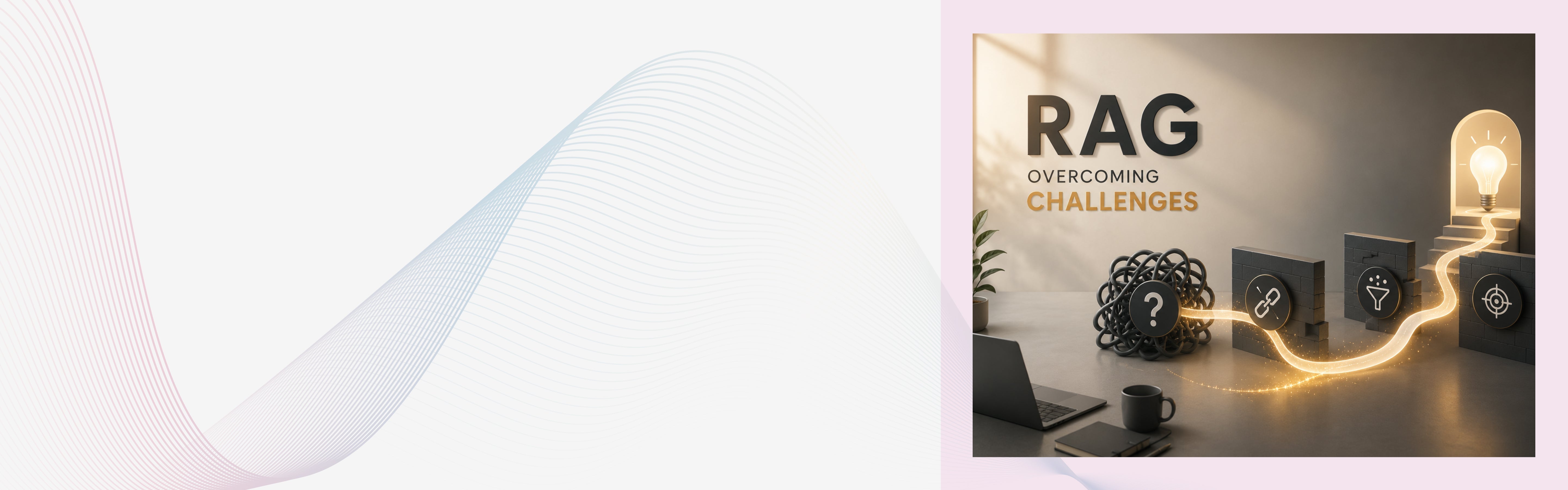
Retrieval-Augmented Generation, or RAG, has become one of the most practical ways for enterprises to use generative AI with their own data. Instead of relying only on what a language model already knows, a RAG system retrieves relevant information from trusted sources and uses that context to generate a more useful answer. Google Cloud describes RAG as a way to connect large language models with external knowledge sources so responses can be more accurate and grounded in current information.
That is why RAG is now appearing in enterprise search, customer support, internal knowledge assistants, legal research, healthcare documentation, sales enablement, finance workflows, and developer support tools. The idea sounds simple: connect your documents to an LLM and let employees or customers ask questions naturally.
But anyone who has implemented RAG beyond a proof of concept knows the real story.
A RAG system can still give wrong answers. It can retrieve irrelevant documents. It can miss important context. It can expose sensitive information if access control is not handled correctly. It can become slow, expensive, and difficult to maintain as data grows. In many cases, the model is blamed, but the actual issue sits in retrieval quality, document preparation, evaluation, governance, or workflow integration.
Mordor Intelligence estimated the RAG market at USD 1.92 billion in 2025 and forecast growth to USD 10.2 billion by 2030.
The demand is real. But so are the implementation risks.
A 2025 MIT NANDA report found that despite large enterprise investment in generative AI, only a small share of organizations were seeing measurable value, with many pilots failing to deliver meaningful business impact.
That is the key lesson for RAG. It is not just a technical pattern. It is an enterprise system that depends on data quality, architecture, user experience, governance, testing, and adoption. In this blog, we are going to discuss common challenges that occur when taking RAG from a notebook to production, and what actually fixes each one.
What Makes RAG Difficult in Enterprise Environments?
RAG looks simple in a demo because demo data is usually clean, small, and controlled. Enterprise data is different.
It is scattered across PDFs, SharePoint folders, CRMs, ERPs, wikis, product manuals, ticketing systems, emails, spreadsheets, and legacy applications. Some of it is outdated. Some is duplicated. Some is confidential. Some is written for humans, not machines. Some has tables, images, scanned content, and inconsistent formatting.
When this messy data enters a RAG pipeline, the quality of the final answer depends on several moving parts:
The user asks a question. The system converts that question into a search query or embedding. It retrieves relevant chunks. It ranks them. It sends selected context to the LLM. The model generates an answer. The answer is then judged by the user, usually without knowing what happened behind the scenes.
If any step fails, the answer suffers. This is why RAG implementation for enterprises should be approached as an engineering and governance challenge, not just an LLM integration task.
Challenge 1: Poor Data Quality
The first and most common RAG problem is poor data quality.
If your source documents are outdated, incomplete, duplicated, or contradictory, the RAG system will retrieve weak context. The LLM may still produce a polished answer, but that answer may be wrong, incomplete, or misleading.
This is especially risky in enterprise use cases where users trust the system because it “uses company data.” A chatbot that answers from an outdated HR policy or old pricing document can create real business problems.
IBM notes that AI-ready data depends on unified access, governance, security, and support. Without those foundations, AI can remain an expensive experiment rather than a source of enterprise value.
How to overcome it
Start by auditing the data sources before building the RAG pipeline. Identify which documents are official, which are outdated, and which should not be used. Create rules for ownership, versioning, metadata, review frequency, and deletion.
For example, a product support RAG system should not treat a 2021 troubleshooting guide and a 2026 product manual equally. The system needs metadata such as publish date, product version, region, department, and content owner.
Enterprises should also define a “source of truth” for each knowledge area. If the same policy appears in five places, the RAG system should know which one is authoritative. Because these decisions directly shape your data architecture and freshness strategy, it’s worth reviewing our guide on architecting enterprise data for RAG success before you finalize your data governance rules.
Challenge 2: Weak Chunking Strategy
Chunking is the process of breaking large documents into smaller pieces that can be indexed and retrieved. It sounds like a small technical decision, but it can make or break RAG performance.
If chunks are too small, they may lose context. If chunks are too large, retrieval becomes noisy, and the LLM receives unnecessary information. If chunks split tables, procedures, or legal clauses incorrectly, the answer may miss the actual meaning.
A fixed chunk size may work for simple blogs, but enterprise documents are rarely that clean. A product manual, invoice policy, legal agreement, and API document all need different chunking strategies.
How to overcome it
Use content-aware chunking instead of blindly splitting text by character count.
For structured documents, split by headings, sections, tables, clauses, or process steps. For technical documentation, keep code blocks and explanations together. For policy documents, preserve definitions, exceptions, and approval rules in the same chunk whenever possible.
Also test chunk overlap carefully. Some overlap helps preserve context, but too much overlap increases storage, cost, and duplicate retrieval.
A good practice is to create a small evaluation dataset with real user questions and compare different chunking methods before finalizing the pipeline.
Challenge 3: Retrieval Accuracy Problems
Many RAG systems fail because they retrieve the wrong content.
This can happen when the user asks a vague question, when enterprise terms have multiple meanings, or when the vector search retrieves semantically similar but factually irrelevant content.
For example, a user may ask, “What is our refund policy for premium customers?” The system may retrieve the general refund policy but miss the premium customer exception stored in a separate document. The final answer will sound correct but still be wrong.
This is one of the most dangerous RAG failure modes because the response feels confident.
How to overcome it
Do not rely only on basic vector search.
Use hybrid retrieval, which combines semantic search with keyword search. Semantic search helps with meaning. Keyword search helps with exact terms, product names, IDs, policy names, and technical phrases.
Add reranking to improve the final selection of retrieved chunks. Pinecone explains reranking as a second-stage retrieval method that can improve the quality of search results by reordering retrieved documents based on relevance.
Also use metadata filtering. If the user is asking about European customers, the system should filter for region-specific documents. If the question is about the latest API version, older documentation should be deprioritized. To understand how they fit into the overall system and interact with other pieces, see our breakdown of the core components of RAG.
Challenge 4: Hallucinations Still Happen
One common misconception is that RAG eliminates hallucinations. It reduces them, but it does not remove them completely.
A model can still misread retrieved context. It can combine two unrelated chunks. It can fill gaps when the retrieved information is incomplete. It can answer confidently even when the source material does not contain the answer.
This is why RAG systems need guardrails.
How to overcome it
Instruct the model to answer only from retrieved context. If the answer is not available, it should say so clearly.
Add citations or source references in the response. This helps users verify where the answer came from. It also improves trust because the system becomes less of a black box.
Use answer validation where needed. For high-risk use cases, another model or rule-based layer can check whether the final answer is supported by the retrieved context.
Most importantly, do not let the system answer every question. A good enterprise RAG assistant should know when to say, “I could not find enough information.”
Challenge 5: Lack of RAG Evaluation
Many teams test RAG manually during development and assume it is ready once the demo looks good. That is not enough.
RAG performance changes when documents are updated, embeddings are changed, prompts are edited, retrieval settings are adjusted, or user behavior shifts. A system that works today can degrade next month.
Toloka describes RAG as a two-stage architecture where retrieval and generation both affect the final answer, and notes that evaluation is different from evaluating a static model because the system behavior can change as documents, embeddings, and prompt construction change.
How to overcome it
Build an evaluation framework from the beginning.
Track metrics such as retrieval precision, retrieval recall, answer faithfulness, answer relevance, citation accuracy, latency, cost per query, and user satisfaction.
Create a golden dataset of real questions and expected answers. Include simple, complex, ambiguous, and out-of-scope questions. Test the system after every major change.
For enterprise use, evaluation should not be only technical. Business teams should review whether answers are actually useful, safe, and aligned with company policies. For tactics on optimizing performance and measuring KPIs, see our post on optimizing RAG for maximum performance.
Challenge 6: Security and Access Control Risks
RAG systems often connect to sensitive enterprise data. That makes security one of the biggest implementation concerns.
The risk is not only external attack. The system may accidentally show an employee information they are not allowed to access. For example, a sales team member should not retrieve confidential finance documents. A customer should not see another customer’s ticket history.
This becomes more complex when documents come from multiple systems with different permissions.
How to overcome it
Implement permission-aware retrieval.
The system should retrieve only the documents the user is authorized to access. Access control should happen before generation, not after. Filtering the final answer is not enough if sensitive content has already entered the model context.
Use role-based access control, document-level permissions, tenant isolation, audit logs, and encryption. For customer-facing RAG systems, ensure strict user identity verification.
Enterprises should also decide whether sensitive data can be sent to external model APIs, and what data masking or private deployment options are required.
Challenge 7: Outdated Knowledge Bases
A RAG system is only as current as its indexed data.
If the source document changes but the vector index is not updated, the AI assistant may continue answering from old information. This creates a gap between business reality and AI output.
This is common in fast-moving areas such as pricing, inventory, compliance, product features, HR policies, and customer support.
How to overcome it
Set up automated data refresh pipelines.
For static documents, scheduled indexing may be enough. For fast-changing systems, use event-based updates. When a policy changes, the old chunks should be removed or deprioritized, and the new chunks should be indexed quickly.
Add metadata for freshness. The system should prefer recent documents when freshness matters.
Also show source dates in answers where appropriate. Users should know whether an answer came from a document updated last week or three years ago.
Challenge 8: High Latency
Users expect AI assistants to respond quickly. But RAG can become slow because it includes multiple steps: query processing, retrieval, reranking, prompt construction, LLM generation, and sometimes validation.
Latency becomes worse when the system searches across large data sources, uses complex reranking, or sends too much context to the model.
How to overcome it
Optimize the retrieval pipeline.
Cache common queries. Limit the number of chunks sent to the LLM. Use reranking only where it adds value. Choose the right embedding model and vector database based on scale, latency, and accuracy needs.
For enterprise applications, define acceptable latency by use case. A legal research assistant may tolerate slower answers if accuracy is high. A customer support chatbot needs faster responses.
Also monitor latency by step. If the system is slow, you need to know whether the delay comes from search, reranking, model generation, or external system calls.
Challenge 9: Cost Overruns
RAG costs can grow quickly.
Costs may come from embedding generation, vector database storage, LLM usage, reranking models, infrastructure, monitoring, security, and ongoing maintenance. As usage grows, a poorly optimized RAG system can become expensive.
This is especially true when teams send too many chunks to the LLM or re-index documents unnecessarily.
How to overcome it
Track cost per query from day one.
Use smaller models where possible. Cache repeated answers. Avoid sending irrelevant context to the LLM. Use tiered retrieval, where simple queries use a lighter pipeline and complex queries use deeper retrieval and reranking.
Also measure cost against business value. A RAG assistant that saves support agents several hours per day may justify higher inference costs. A low-impact internal demo may not.
Challenge 10: Poor User Experience
Even a technically strong RAG system can fail if users do not trust it or know how to use it.
Users may ask unclear questions. They may expect the system to behave like a search engine, chatbot, analyst, or workflow assistant all at once. If the system gives long, generic answers, users stop using it.
How to overcome it
Design the RAG experience around real user workflows.
Give users suggested prompts. Show sources. Offer follow-up questions. Allow feedback on answers. Make it clear what the system can and cannot do.
For internal tools, train employees on how to ask better questions. For customer-facing tools, keep the interface simple and action-oriented.
A strong RAG system should not just answer questions. It should help users complete a task.
Challenge 11: Poor Integration with Business Workflows
Many RAG projects remain stuck as standalone chatbots. They may be useful, but they do not create measurable business value because they are disconnected from daily workflows.
The MIT NANDA report highlighted a broader issue in enterprise generative AI: many initiatives fail to deliver measurable value because they do not integrate well into real business processes.
How to overcome it
Connect RAG to actual workflows.
A customer support RAG system should integrate with ticketing tools. A sales assistant should connect with CRM data. A developer assistant should connect with repositories and documentation. A finance assistant should respect approval workflows and audit trails.
RAG should not only retrieve knowledge. In mature systems, it should support decisions, actions, and handoffs.
A Short, Practical Checklist Before You Ship
If you take one thing from this, take this list. Before you call a RAG system production-ready, you should be able to say yes to all of these:
- Source data is deduplicated, current, and stripped of boilerplate, with a clear owner for freshness.
- Retrieval is hybrid (semantic plus keyword) with re-ranking, not vector-only.
- Chunking is tuned against real queries, not set to a default token count.
- Every answer is grounded in retrieved context and returns its sources.
- A golden evaluation dataset runs automatically on every meaningful change.
- Access control is enforced at retrieval, per user, and outputs are logged for audit.
- You have a cost-per-query number and a latency budget, and you are inside both.
Miss any of these, and you are not shipping a product. You are shipping a future incident.
Ending Note
The teams that win with RAG are rarely the ones with the biggest model or the trendiest architecture. They are the ones who treated retrieval quality, data hygiene, evaluation, and governance as first-class engineering problems instead of details to clean up later. That is unglamorous work. It is also the work that separates the 48% of AI projects that reach production from the rest.
The enterprises that succeed with RAG will be the ones that treat it as a serious product and engineering system. They will invest in data readiness, retrieval quality, evaluation, security, and user adoption. They will start with focused use cases, measure outcomes, and improve continuously.
RAG can reduce hallucinations, improve access to knowledge, and make AI more useful in daily work. But the real value comes when it is implemented with discipline.
The question is not whether RAG works. The better question is whether your enterprise is ready to make it work reliably.
Facing a challenge? At Lucent Innovation, we help businesses take RAG and generative AI from promising prototype to production systems people actually rely on. Whether you are debugging a pipeline that stalled or designing one from scratch, our generative AI development teams have done this across data-heavy, regulated, and high-traffic environments.

