

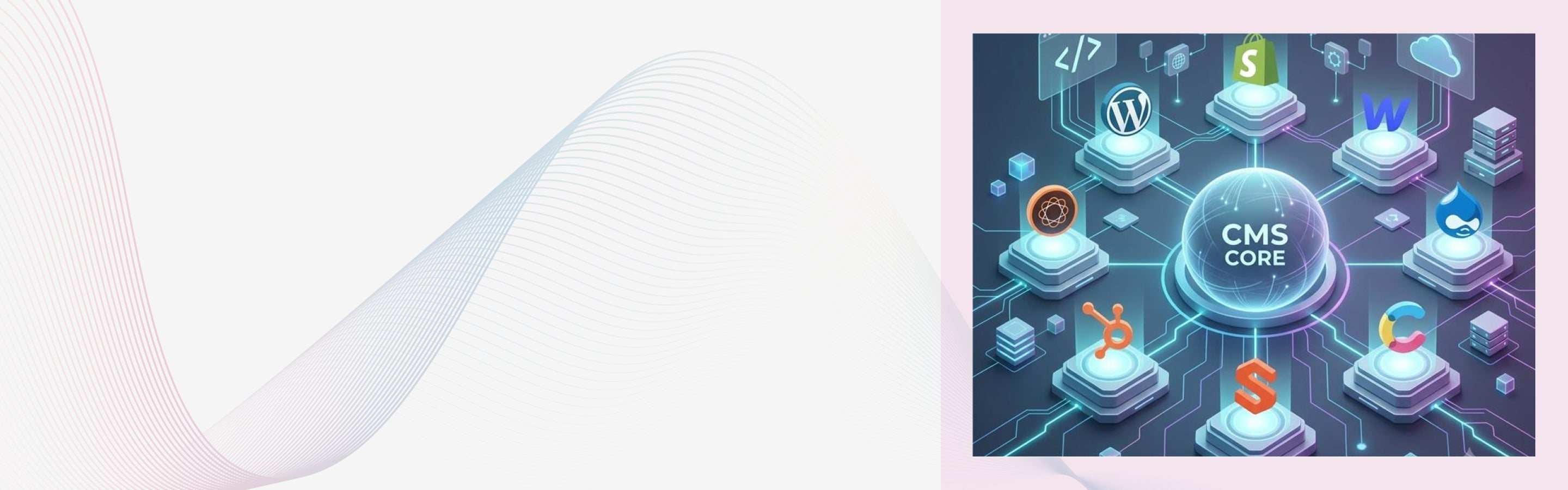
Choosing a content management system can feel difficult because every CMS solves a different problem. Some platforms focus on simple website publishing, while others support ecommerce, mobile apps, global content, and complex digital products.
The best CMS is not always the platform with the longest feature list. It is the system that fits your content model, publishing workflow, technical team, integrations, security needs, and growth plans.
This guide compares popular content management systems using practical criteria. It also explains traditional, headless, decoupled, and composable CMS architectures in clear language.
How This CMS Comparison Was Created
This comparison does not rank platforms by popularity alone. Each CMS is reviewed by its editing experience, content modelling, API support, technical flexibility, security responsibilities, scalability, and typical use cases.
The article also considers the people who use the CMS every day. This includes content writers, marketing teams, designers, developers, security teams, and website administrators.
Product capabilities and technical documentation were reviewed in July 2026. Features can change, so businesses should test shortlisted platforms using real content and workflows before making a final decision.
What Is a CMS?
A CMS, or content management system, is software used to create, manage, organize, and publish digital content. It usually provides an editing interface where users can manage pages, articles, products, images, documents, and navigation.
Most CMS platforms store content in a database or structured content repository. A presentation layer then turns that content into website pages, mobile screens, application interfaces, or other digital experiences.
A CMS can also manage:
- Content types and fields
- Page templates and reusable sections
- Images, videos, and documents
- User roles and publishing permissions
- Drafts, reviews, and approvals
- Multiple languages and regions
- Metadata and search settings
- Content revisions and audit history
- APIs and external integrations
- Scheduled publishing and content expiry
CMS examples include WordPress, Drupal, Shopify, Webflow, Contentful, Sanity, HubSpot Content Hub, and Adobe Experience Manager. These systems may all manage content, but their architecture and intended use can be very different.
Why Do Businesses Need a CMS?
A CMS allows content teams to update a website without asking developers to edit source code for every change. Writers can publish articles, marketers can create landing pages, and store teams can update products. This separation improves publishing speed. Developers can focus on integrations, performance, accessibility, security, and business features instead of handling basic text and image changes.
A CMS also creates a central source for digital content. This becomes important when the same product description, office location, policy, or article must appear across several websites and applications. Without a structured CMS, teams often copy content between documents, spreadsheets, websites, and apps. These copies can become outdated and create conflicting information.
A CMS can also provide governance. Roles, approval stages, revision history, and content ownership rules help large teams publish information safely and consistently.
Key Features of a Good CMS
The value of a CMS depends on how well it supports real publishing and technical requirements. A long feature list is not useful when important daily tasks remain difficult.
Structured Content Modelling
A content model defines how information is stored. For example, a product content type may include a product name, description, price, specifications, images, category, and related products. Structured content is easier to reuse than a large block of formatted text. A website, mobile app, chatbot, store display, and customer portal can request only the fields each channel needs.
Content relationships also matter. A CMS should allow teams to connect authors with articles, products with categories, locations with services, and case studies with industries. Strong content modelling supports search engines and generative systems because important information is clearly labelled and connected. It can also make structured data and schema markup easier to implement.
Clear Editing Experience
Editors should be able to create, preview, review, and publish content without needing technical support for every task. The interface should make required fields, media, links, and publishing controls easy to understand.
A traditional CMS may provide direct page editing. A headless CMS may provide structured fields with a separate preview environment that shows content inside a Next.js, Nuxt, React, or Vue frontend.
Neither editing model is always better. Structured forms work well for reusable content, while visual page builders may be easier for campaign and landing page creation.
Roles, Permissions, and Workflows
A good CMS should control who can view, create, edit, approve, publish, and delete content. These controls become important when agencies, departments, legal teams, and regional editors share one platform.
Enterprise workflows may include draft, legal review, translation review, approval, scheduled publication, and archive stages. The CMS should record who changed the content and when the change occurred.
Granular permissions reduce the risk of accidental publishing. They also help organizations follow internal governance, security, and compliance requirements.
API and Integration Support
Modern websites rarely operate as isolated systems. A CMS may need to exchange data with ecommerce platforms, customer systems, search engines, product databases, analytics tools, and mobile applications. REST APIs commonly return content as JSON through defined endpoints. For example, the WordPress REST API allows external applications to request posts, pages, users, media, and other resources as JSON.
GraphQL allows a frontend to request specific fields through a typed schema. This can reduce unnecessary data transfer when a page only needs an article title, summary, image, and author.
Drupal includes JSON API support for exposing content entities through a REST based standard. Drupal can also support GraphQL through contributed modules for projects that need custom queries.
Sanity uses GROQ as its native query language and also supports generated GraphQL APIs. GROQ can filter, join, and return specific fields from connected content documents.
Other useful integration methods include webhooks, software development kits, OAuth 2.0 authentication, message queues, and event driven functions.
SEO Controls
A CMS should allow teams to manage page titles, meta descriptions, URLs, canonical tags, redirects, image descriptions, and XML sitemaps. It should also support crawlable navigation and useful internal links.
Developers may also need control over structured data, robots instructions, pagination, hreflang tags, HTTP status codes, and JavaScript rendering.
A CMS does not create good SEO by itself. Search performance still depends on content usefulness, technical quality, authority, accessibility, site architecture, and user experience.
Google uses Core Web Vitals as part of its page experience systems, but good scores alone do not guarantee high rankings.
Performance and Delivery Options
CMS performance depends on more than the software name. Hosting, database queries, caching, themes, images, scripts, plugins, API calls, and frontend code all affect speed. A traditional CMS may generate HTML after receiving a request. The application may need to load templates, query a database, run plugins, and build the page before sending it to the browser.
Page caching can remove much of this work. A cached WordPress or Drupal page can be delivered quickly when the server, content delivery network, and cache invalidation rules are configured correctly. A headless website may use static site generation. Next.js can create HTML at build time and reuse it for each request, allowing pages to be cached and distributed through a content delivery network.
Nuxt can also prerender routes into static HTML files. These files can be served without generating the full page on every request.
Static delivery often reduces server processing and improves time to first byte. This can support a better Largest Contentful Paint score when images, fonts, CSS, and JavaScript are also optimized.
However, headless does not automatically mean fast. Large JavaScript bundles, slow API calls, client-side rendering, third party scripts, and poor image handling can make a headless site slower than a well cached traditional CMS.
Security and Maintenance
Every CMS needs a clear security and maintenance plan. This includes software updates, access controls, backups, monitoring, encryption, audit logs, and incident response.
Open-source platforms give organizations more control over hosting and source code. They also place more responsibility for the organization or its technical partner.
Managed software platforms usually handle core infrastructure and platform updates. Teams must still manage users, integrations, application permissions, custom code, and content access.
API-based systems also need proper authentication and authorization. Public delivery APIs may be read only, while management of APIs should use secure tokens, restricted scopes, and server-side access.
Localization and Multisite Management
Global organizations may need separate websites for countries, brands, products, or languages. A CMS should define how content is shared, translated, approved, and published across these properties.
Important localization features include language variants, regional fields, translation workflows, fallback content, locale specific URLs, and hreflang support.
Multisite tools can reduce duplication, but they require strong governance. Shared components must allow local teams to make approved changes without breaking global standards.
Types of CMS Architecture
The term CMS now covers several architecture models. The main options are traditional, decoupled, headless, and composable.
Traditional CMS
A traditional CMS connects content management, templates, rendering, and website delivery inside one main system. This is sometimes called monolithic architecture.
WordPress commonly uses PHP themes, plugins, a MySQL database, and server generated HTML. Drupal can also manage content, templates, modules, permissions, and page delivery within one application. This model works well when the website is the main channel. Editors can often preview pages easily because the CMS controls both the content and the presentation.
Traditional CMS can still connect with external services through REST APIs, webhooks, plugins, and custom integrations. Traditional does not mean that the platform has no API capabilities. The main limitation appears when many channels require very different experiences. Reusing the same content across websites, mobile apps, kiosks, and connected devices may require extra development.
Decoupled CMS
A decoupled CMS separates parts of the presentation layer from the content system but may still provide connected templates, previews, or page building tools.
For example, Drupal may manage content, users, permissions, and workflows while a React or Next.js application displays some or all the website. Drupal content can be delivered through JSON API or GraphQL.
A decoupled approach is often used during gradual modernization. An organization can keep established editorial tools while replacing selected frontend experiences.
This model can provide more flexibility than a traditional CMS without requiring the organization to rebuild every channel at once. The challenge is operational ownership. Teams must decide who manages previews, routing, redirects, caching, frontend deployments, API security, and content release coordination.
Headless CMS
A headless CMS manages content but does not provide the main website presentation layer. Content is delivered to external applications through APIs.
The frontend may be built with Next.js and React, Nuxt and Vue, SvelteKit, Astro, native mobile technology, or another application framework.
Contentful describes headless CMS architecture as the separation of the content management backend from the presentation layer. This allows content to be delivered to different digital channels.
A headless CMS is useful when the same structured content must support websites, applications, digital displays, voice interfaces, or other systems.
This model gives developers greater front-end freedom. They can choose static site generation, server-side rendering, client-side rendering, edge rendering, or a mixture of methods.
The tradeoff is an additional responsibility. Teams must build and maintain the frontend, hosting, preview system, search, forms, routing, and deployment process.
Composable Architecture
Composable architecture goes beyond separating the CMS from the frontend. It builds a digital platform from independent services that each handle a specific business capability.
A composable system may include:
- A headless CMS for content
- A commerce platform for products and checkout
- A customer data platform for customer profiles
- A product information system for product data
- A digital asset system for media
- A search service such as Elasticsearch or Algolia
- A payment service
- An identity and access service
- A personalization engine
- A Next.js or Nuxt experience layer
These services communicate through APIs, webhooks, events, and integration layers. They can be replaced or updated separately when the architecture has been designed well.
MACH architecture is a common composable model. MACH stands for microservices based, API first, cloud native software as a service, and headless.
Microservices divide functions into smaller services. API first means systems expose documented interfaces. Cloud native services are designed for scalable cloud environments. Headless separates business functions from the experience layer.
Composable architecture can reduce dependence on one large vendor. It can also allow teams to select specialist products for content, commerce, search, and customer data.
The cost is greater integration complexity. Monitoring, API versioning, data ownership, service limits, authentication, and failure handling must be planned across the full system.
CMS Architecture Comparison
| Architecture | Content and Presentation | Common Technologies | Best Suited For | Main Risk |
|---|---|---|---|---|
| Traditional | Managed in one main platform | PHP, templates, plugins, SQL, server rendering | Blogs, publications, company websites, and standard marketing sites | Plugin growth and tightly connected custom code |
| Decoupled | Partly separated but still connected | JSON API, GraphQL, React, Vue, hybrid rendering | Gradual modernization and mixed editorial needs | Unclear ownership between the CMS and frontend |
| Headless | Fully separated through APIs | REST, GraphQL, GROQ, Next.js, Nuxt, React, Vue | Apps, multiple channels, custom websites, and structured content | More development, preview, hosting, and integration work |
| Composable | Built from independent business services | Microservices, APIs, webhooks, cloud services, event systems | Enterprise platforms and complex commerce ecosystems | Integration cost, service dependencies, and operational complexity |
CMS Performance and Core Web Vitals
Core Web Vitals measure important parts of a real user's page experience. The current metrics are Largest Contentful Paint, Interaction to Next Paint, and Cumulative Layout Shift. A good Largest Contentful Paint result is 2.5 seconds or less. A good Interaction to Next Paint result is 200 milliseconds or less. A good Cumulative Layout Shift score is 0.1 or less. These targets should be met at the seventy fifth percentile of real page visits on mobile and desktop.
How Traditional CMS Performance Works
An uncached traditional CMS page may query a database, run application code, process plugins, load a template, and create HTML for each request. This work can increase server response time when the database is slow or the server is under heavy load. Complex plugins and inefficient queries may create further delays.
Full page caching changes this process. The server or content delivery network stores the completed HTML and serves it without rebuilding the page each time. A well optimized traditional CMS can therefore achieve strong Core Web Vitals. The architecture alone does not decide the final result.
How Headless Performance Works
A headless website can fetch content during the build process and create static HTML before a user requests the page. The resulting files can be stored across a global content delivery network.
This approach removes many live databases and application steps from the request path. It can improve server response time and support a faster Largest Contentful Paint.
Incremental static regeneration can update selected static pages without rebuilding the full website. This is useful for large sites where content changes frequently. Server-side rendering creates HTML for each request or selected requests. It suits personalized or frequently changing content but may need edge caching and efficient API calls.
Client-side rendering sends more JavaScript to the browser and loads content after the initial page begins running. Heavy client-side rendering can delay visible content and increase interaction work.
Why Headless Can Still Perform Poorly
Headless projects often use React, Vue, analytics scripts, personalization tools, tag managers, and third party components. Each script adds network and processing work. A large JavaScript bundle can affect Interaction to Next Paint because the browser must parse and run code before responding smoothly to user actions.
Slow CMS APIs can also delay server rendering. Developers should use API caching, persisted GraphQL queries, request batching, content delivery networks, and sensible revalidation rules. Headless performance should be measured with real user monitoring, PageSpeed Insights, Search Console, and the Chrome User Experience Report. Laboratory scores alone do not show every real user condition.
Best CMS Options Compared
| CMS | Main Architecture | Technical Options | Best Suited For | Main Consideration |
|---|---|---|---|---|
| WordPress | Traditional or headless | PHP, REST API, GraphQL through plugins, MySQL | Blogs, publications, service websites, and content marketing | Plugins, themes, hosting, and updates need active management |
| Shopify | Managed commerce or headless | Liquid, GraphQL Storefront API, Hydrogen, React | Ecommerce stores and commerce focused brands | Apps and custom commerce logic can increase complexity |
| Webflow | Visual managed CMS | Visual design tools, REST APIs, webhooks, React components | Marketing sites and design focused teams | Advanced applications may need external services |
| Drupal | Traditional, decoupled, or headless | PHP, JSON API, REST, GraphQL, SQL | Government, education, enterprise, and complex content | Setup and maintenance often need specialist skills |
| Contentful | Headless and composable | REST APIs, GraphQL, webhooks, SDKs | Multichannel content and enterprise digital products | The frontend and supporting services must be built separately |
| Sanity | Headless and composable | GROQ, GraphQL, Content Lake, real time APIs | Custom content systems and developer led teams | Content modelling quality has a major effect on usability |
| HubSpot Content Hub | Managed CMS | HubL, REST APIs, HubDB, serverless functions | Marketing websites and lead generation | Strongest value appears inside the HubSpot ecosystem |
| Adobe Experience Manager | Traditional, hybrid, or headless | Java, Content Fragments, GraphQL, cloud services | Global enterprises and complex content operations | Implementation and governance require enterprise resources |
1. WordPress
WordPress is an open source CMS commonly used for blogs, publications, business websites, directories, learning platforms, and content marketing.
- Its traditional architecture uses themes to control presentation and plugins to add features. Most installations use PHP, a MySQL compatible database, and server generated HTML.
- WordPress also provides a REST API that returns content as JSON. Developers can use WordPress as a headless CMS with Next.js, Nuxt, React, Vue, or mobile applications.
- GraphQL is not included in the core software, but it can be added through tools such as WPGraphQL. A headless WordPress project must also handle previews, redirects, authentication, search, and cache invalidation.
WordPress offers a large ecosystem, but extension quality varies. Too many plugins can create overlapping features, security risks, database load, and update conflicts.
Best for: Blogs, publications, service websites, educational content, and flexible marketing websites.
Consider another option when: Your organization needs strict enterprise workflows, complex multichannel content, or minimal infrastructure responsibility.
2. Shopify
Shopify is a managed ecommerce platform with CMS features for products, collections, pages, navigation, blog posts, files, and store content.
- A standard Shopify store uses Liquid templates and Shopify's managed hosting. This approach reduces the need to manage servers, database infrastructure, payment security, and core platform updates.
- Shopify also supports headless commerce through its GraphQL Storefront API. The API can provide products, collections, carts, customer experiences, and checkout functions to custom applications.
- Hydrogen is Shopify's React based toolkit for custom storefronts. Oxygen is Shopify's recommended hosting environment for Hydrogen applications.
A business may also use Next.js, another React framework, or a mobile application with Shopify's APIs. The frontend choice should match the team's skills and performance requirements.
Best for: Ecommerce brands, retailers, direct to consumer businesses, and companies that need managed commerce operations.
Consider another option when: The website is mainly a publication, knowledge platform, or complex noncommerce content system.
3. Webflow
Webflow combines visual website design, managed hosting, CMS collections, reusable components, and content editing.
- Designers can create responsive layouts without working only through code. Content teams can manage collection items such as articles, team members, projects, locations, and case studies.
- Webflow provides REST based Data APIs for creating integrations and managing CMS content programmatically. Developers can create, update, and publish CMS items from external systems.
- Webhooks can trigger external processes when content or site events occur. Webflow also supports custom code and React based code components for more advanced experiences.
Webflow is easier to manage when the content structure remains clear. Large applications with complex permissions, transaction logic, or deep backend requirements may need external services.
Best for: Marketing websites, design focused brands, agencies, portfolios, and visual content experiences.
Consider another option when: The project needs complex application logic, deep editorial governance, or large structured content relationships.
4. Drupal
Drupal is an open source CMS designed around structured content, entities, fields, taxonomy, users, permissions, views, and modules.
- It can operate as a traditional CMS, a decoupled platform, or a fully headless content system. This flexibility suits complex organizations with different frontend and governance requirements.
- Drupal core includes JSON API support for exposing content entities to external applications. GraphQL can be added for projects that need more flexible field selection and query structures.
- A Drupal backend can support a Next.js, Nuxt, React, Vue, or native mobile frontend. It can also continue rendering selected pages through its own theme system.
Drupal is often chosen for detailed permissions, multilingual content, workflows, and connected data. These strengths require careful architecture and experienced implementation.
Best for: Government, universities, associations, healthcare organizations, member portals, and complex enterprise websites.
Consider another option when: The project is small, the content model is simple, and the team wants the fastest possible setup.
5. Contentful
Contentful is a headless content platform that stores content as structured models and delivers it to external applications.
- Its Content Delivery API provides read only access to published content. Developers can also use GraphQL to request specific content fields and relationships.
- A typical Contentful stack may use Contentful for content, Next.js for the frontend, Vercel or a cloud platform for hosting, Algolia for search, and Shopify or commercetools for commerce.
- This arrangement is an example of composable architecture because separate services handle separate capabilities.
Contentful works well when content must be shared across several websites, apps, brands, or regions. The organization still needs to build and operate the experience layer.
Best for: Enterprise content platforms, modern websites, mobile apps, and content shared across many channels.
Consider another option when: The team needs a ready made website with templates and has limited development support.
6. Sanity
Sanity stores structured content in its Content Lake. Content can be referenced, queried, reused, and delivered to different channels.
- Sanity Studio provides a customizable editing interface. Development teams can change document structures, validation rules, previews, input controls, and editorial workflows.
- GROQ is Sanity's native query language. It allows applications to filter documents, follow references, combine related information, and return specific fields.
- Sanity also supports GraphQL APIs for teams that prefer a typed GraphQL schema. Its API content delivery network can cache query responses closer to users.
Sanity provides strong flexibility, but the initial content model needs careful planning. Poor field names and unclear document relationships can create a difficult editing experience.
Best for: Developer led teams, custom digital products, structured content, and complex editorial interfaces.
Consider another option when: The team wants to select a theme and launch a standard website with little development work.
7. HubSpot Content Hub
HubSpot Content Hub combines website publishing with forms, customer data, lead generation, marketing tools, and analytics.
- Content teams can build pages from themes and templates. Developers can create custom modules, templates, styles, and dynamic content using HubL and HubDB.
- HubSpot provides REST APIs for pages, blog posts, files, authors, tags, domains, and other CMS assets.
- Enterprise accounts can use serverless functions to run JavaScript on the server. This can support secure requests to external APIs without exposing credentials in browser code.
HubSpot is useful when website activity must connect directly with contact records, forms, campaigns, and customer journeys.
Best for: Business websites, lead generation, marketing teams, and organizations already using HubSpot.
Consider another option when: The organization needs a vendor neutral content layer or does not plan to use the wider HubSpot platform.
8. Adobe Experience Manager
Adobe Experience Manager (AEM) is an enterprise content and digital experience platform. It supports large websites, multiple brands, regional content, digital assets, personalization, and complex governance.
- AEM can support traditional page delivery, hybrid implementations, and headless content delivery.
- Content Fragments store structured content separately from page layouts. AEM can expose these fragments through GraphQL for React, mobile, and other external applications.
- Persisted GraphQL queries can store approved queries on the server. This can improve control, caching, and repeat use in production applications.
AEM is generally implemented as part of a wider enterprise architecture. It may connect with Adobe Analytics, Adobe Target, asset management, commerce platforms, and customer data services.
Best for: Global enterprises, regulated organizations, large content teams, many regions, and many digital channels.
Consider another option when: The project is small, publishing requirements are simple, or the organization has limited enterprise implementation resources.
Which CMS Is Best for Different Use Cases?
| Use Case | CMS Options to Consider | Why |
|---|---|---|
| Blog or publication | WordPress or Drupal | Strong publishing, taxonomy, authors, revisions, and content structure |
| Small company website | WordPress, Webflow, or HubSpot | Accessible editing and standard website capabilities |
| Ecommerce store | Shopify | Managed products, payments, inventory, checkout, and store operations |
| Design focused marketing site | Webflow | Strong visual control and managed publishing |
| Government or university website | Drupal | Permissions, multilingual content, structured data, and governance |
| Website and mobile app content | Contentful or Sanity | Structured API based content delivery |
| Marketing and lead generation | HubSpot Content Hub | Website content connected with customer and campaign data |
| Global enterprise platform | AEM or Drupal | Multisite management, workflows, permissions, and integrations |
| Custom React application | Contentful, Sanity, Drupal, or WordPress | Content can be delivered through APIs |
| Composable commerce | Shopify, Contentful, Sanity, or AEM | Separate services can manage commerce, content, search, and experience |
How to Choose the Right CMS
1. Define the Main Business and User Need
Start with the purpose of the website. Decide whether it must publish information, generate leads, sell products, manage members, support customers, or deliver an application.
List the tasks visitors need to complete. A platform should be selected around those tasks rather than around a trend or vendor presentation.
2. Design the Content Model
List the main content types and their fields. Common examples include articles, products, authors, industries, services, locations, events, and case studies then, identify relationships between content types. This step shows whether the project needs simple pages or a more advanced structured content system.
3. Map the Publishing Workflow
Identify who creates, reviews, approves, translates, publishes, and archives content after that ask editors to test common workflows. The team should not select a CMS based only on the developer experience.
4. Select the Rendering Model
Decide whether pages will use traditional server rendering, static site generation, server side rendering, client side rendering, or hybrid rendering. As static generation suits content that changes less often. Server rendering may suit personalized content. Hybrid frameworks can use different methods for different routes.
5. List Required Integrations
Document the customer system, product database, search tool, ecommerce platform, payment service, analytics platform, identity provider, and marketing tools. For each connection, check the available REST APIs, GraphQL schemas, webhooks, SDKs, authentication methods, limits, and support policies.
6. Test Core Web Vitals
Build a small proof of concept using real templates, images, fonts, scripts, and content. Measure Largest Contentful Paint, Interaction to Next Paint, and Cumulative Layout Shift. Do not rely only on an empty starter template.
7. Review Security Responsibilities
Confirm who manages software updates, hosting, backups, access controls, API tokens, monitoring, data protection, and incident response. A managed CMS reduces some infrastructure work but does not remove the need for strong operational controls.
8. Calculate the Full Cost
Include subscriptions, hosting, implementation, migration, design, integrations, training, support, monitoring, and future upgrades. Headless software may have a clear subscription price, but the frontend, preview tools, search, forms, and deployment systems also create costs.
9. Test With Real Users
Ask writers, editors, marketers, designers, and developers to complete real tasks in the shortlisted platforms. Record how long each task takes, where people become confused, and how much technical help is required.
Common Mistakes When Choosing a CMS
Choosing Only by Popularity
A popular CMS may have a large ecosystem, but it may not fit your content model, workflow, integrations, or governance needs. Choose the platform that matches the project rather than the one with the most recognition.
Choosing Headless Because It Sounds Modern
Headless architecture adds frontend development, hosting, preview systems, API management, and deployment work. A simple marketing website may perform better as a traditional or managed CMS when multichannel delivery is not required.
Confusing Headless With Composable
A headless CMS separates content from presentation. Composable architecture combines several independent business services. A project can be headless without being fully composable.
Ignoring the Editing Experience
A technically strong CMS can fail when content teams find it difficult to use. Editors should test previews, media management, reusable sections, scheduling, localization, and approvals before the final decision.
Assuming Headless Guarantees Better Performance
Static generation and content delivery networks can improve performance, but poor JavaScript, images, fonts, and API design can remove those gains. Performance must be tested on the final architecture and real devices.
Adding Too Many Plugins or Services
Each plugin, app, microservice, and API creates another dependency. Teams must monitor updates, limits, security, availability, and compatibility across the complete system.
Ignoring Migration and Redirects
CMS migration includes content, images, files, metadata, users, forms, URLs, redirects, structured data, and internal links. Missing redirects can create broken links and search visibility loss.
Forgetting API Limits
Headless platforms may charge or limit API requests, bandwidth, records, users, or environments. Caching and request planning should be part of the architecture before launch.
Conclusion
The best CMS is the platform that solves your real publishing and technical needs without creating unnecessary complexity.
WordPress provides flexibility for content focused websites. Shopify supports managed ecommerce. Webflow gives designers visual control, while HubSpot connects content with marketing and customer data.
Drupal supports complex content and governance. Contentful and Sanity support structured headless delivery. Adobe Experience Manager serves large enterprise content operations.
Headless and composable systems provide more freedom, but they also require stronger architecture, integration, monitoring, and development skills.
Before selecting a platform, test the content model, editing workflow, API design, frontend performance, Core Web Vitals, migration process, and total cost.
For organizations planning a complex CMS migration or composable platform, an experienced implementation team can help evaluate architecture and technical risks. The final choice should still be based on evidence, user needs, and practical testing.


